
WordPress vs NextGEN: which website pays off in 2026?
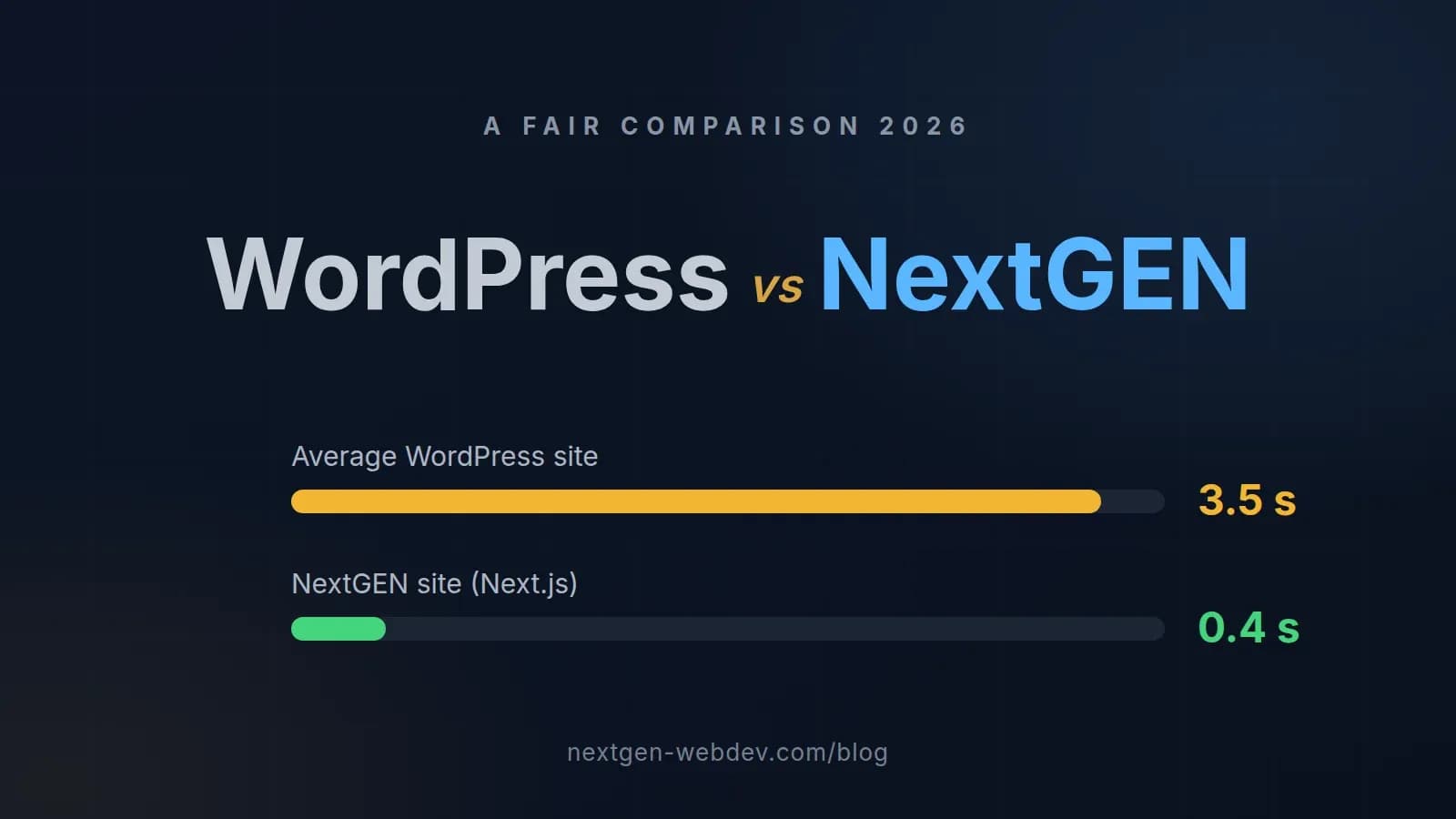
An honest comparison of a WordPress template and a custom NextGEN site: speed (3.5 s vs 0.4 s), security, SEO and the real cost over three years. With numbers, no marketing.
If you are commissioning a new website today, you will almost certainly compare two routes: a WordPress template everyone knows, or a custom-built site on modern technology — we call ours NextGEN (Next.js, the same technology used by Nike, TikTok and OpenAI). The short answer: for most businesses whose website exists to win customers, NextGEN pays for itself through speed, higher rankings and zero maintenance. But WordPress is not always the wrong choice — below is an honest comparison of the two.
The comparison in numbers
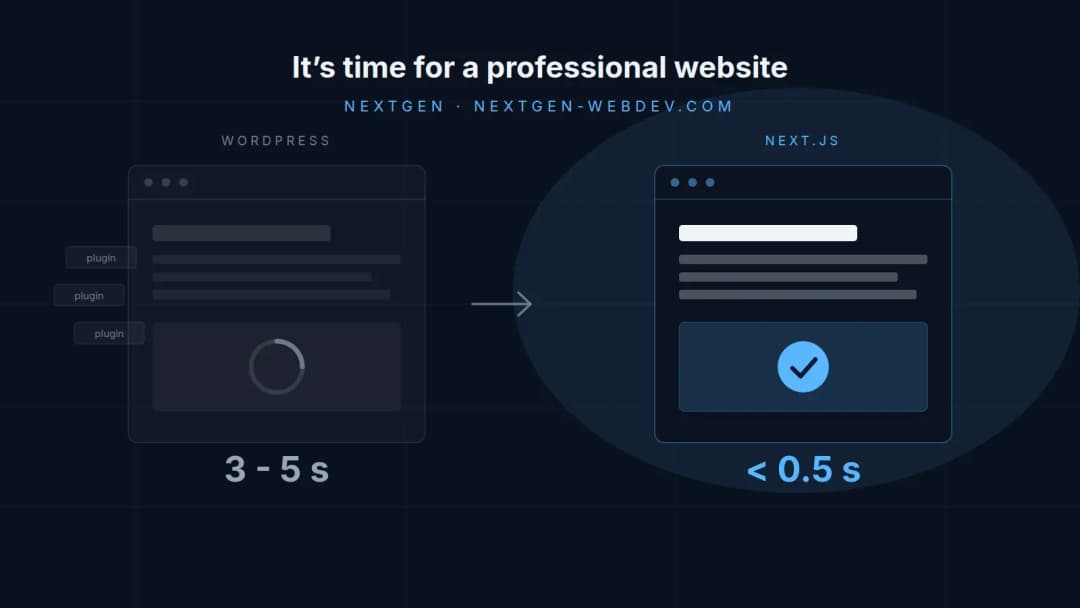
- Load time (LCP on mobile): an average WordPress site ~3.5 s, a NextGEN site 0.4 s (source: HTTP Archive; internal measurements from our projects)
- Plugins: a WordPress site typically needs 15–30, NextGEN 0
- Updates: WordPress weekly (core, theme, plugins), NextGEN practically none
- Security holes: the vast majority of WordPress break-ins come through outdated plugins; on a site with no plugins that attack vector simply does not exist
- Lighthouse target: NextGEN sites aim for 100/100, templates typically stall between 40 and 70
Speed: why Google counts tenths of a second
Google measures mobile speed through Core Web Vitals and ranks slower sites lower — and visitors are even stricter than Google: a large share leave before the page even renders. The difference between 3.5 s and 0.4 s is not cosmetic; it is the difference between a visitor who stays and a visitor who goes back to Google and clicks a competitor.
WordPress is slow by design: every visit assembles the page on the fly from a database, a theme and dozens of plugins. A NextGEN site is built in advance and served as lightning-fast static HTML — so it loads in under a second even on an average phone on a mobile network.
How fast is your current site? Check it free in one minute — we measure it with Google's Lighthouse tool.
Security and maintenance: the cost that never appears on the quote
WordPress powers a large share of the web, which makes it target no. 1 for automated attacks. Practically every break-in comes through outdated plugins or themes — meaning security stands or falls with whether someone installs updates every week and prays that none of them breaks the site.
A NextGEN site has no plugins and no admin login exposed to the entire world. No weekly updates, no "white screen" after an upgrade, no cleaning up a hacked site. That is not just a security difference but above all a cost difference — someone always pays for WordPress maintenance, even when it goes by "it will probably be fine".
SEO: a technical edge that works 24/7
Speed is only the first part. NextGEN sites ship clean, server-rendered HTML that Google (and increasingly AI search engines such as ChatGPT and Perplexity) reads without guessing: structured data (schema.org), correct headings, multilingual hreflang tags and a lightning-fast server response. With templates, that "technical SEO" ends where the plugin ends.
The result in practice: our client Adoro from Bled ranks on page one of Google for local searches with a NextGEN site — as a brand-new business, without any advertising.
Price: at first glance and over three years
Let's be honest here: WordPress is cheaper at the start. Someone will assemble a template for a few hundred euros. But look at three years:
- WordPress: the build + plugin licences + hosting + regular maintenance + at least one emergency fix when something goes wrong — the cost grows every month and is unpredictable
- NextGEN: a fixed build price (a classic site from €1,290, custom development from €2,900), hosting and support included for the first year, then a Care plan from €39 per month — with backups, updates and minor content changes already covered
Over three years the totals are often comparable — except that one site has a Lighthouse score of 55 and weekly worries, and the other 100/100 and none.
When WordPress is still the right choice
Make no mistake — we do build WordPress when it truly is the best option for the client. It makes sense above all when:
- your editorial team has worked in WordPress for years, publishes a lot of content daily, and switching tools is not realistic
- you run an existing WooCommerce store with deep customisations, where migrating would cost more than it returns
- you need a temporary solution on a minimal budget and consciously accept the compromise
But if the site's purpose is winning enquiries and customers, the maths is simple: a faster site → higher rankings → more visitors → more enquiries.
Moving off WordPress without losing rankings
The most common fear before a rebuild: "we will lose our Google rankings." It is justified only if the rebuild is done carelessly. Done properly, all content and URLs are preserved (or permanent 301 redirects put in place), while meta data and structured data get upgraded — which is why rankings after a rebuild typically rise rather than fall. Speed is one of the few SEO factors you can improve overnight.
Conclusion: check where you stand today
Before you decide, measure your starting point: the free website audit shows the speed, SEO and accessibility of your current site in one minute — using Google's tools, no sign-up required. If it turns out your site sits in the slow half of the web, we will prepare a concrete rebuild quote — you get a fixed price within 24 hours, with no obligations.